Typoteka
Layout software ties the words to the way they look. Move a chapter and the design comes with it; change the design and you are editing the text. Typoteka keeps the two apart: the book is Markdown, the design is CSS, and both live in git, where you can diff them and go back.
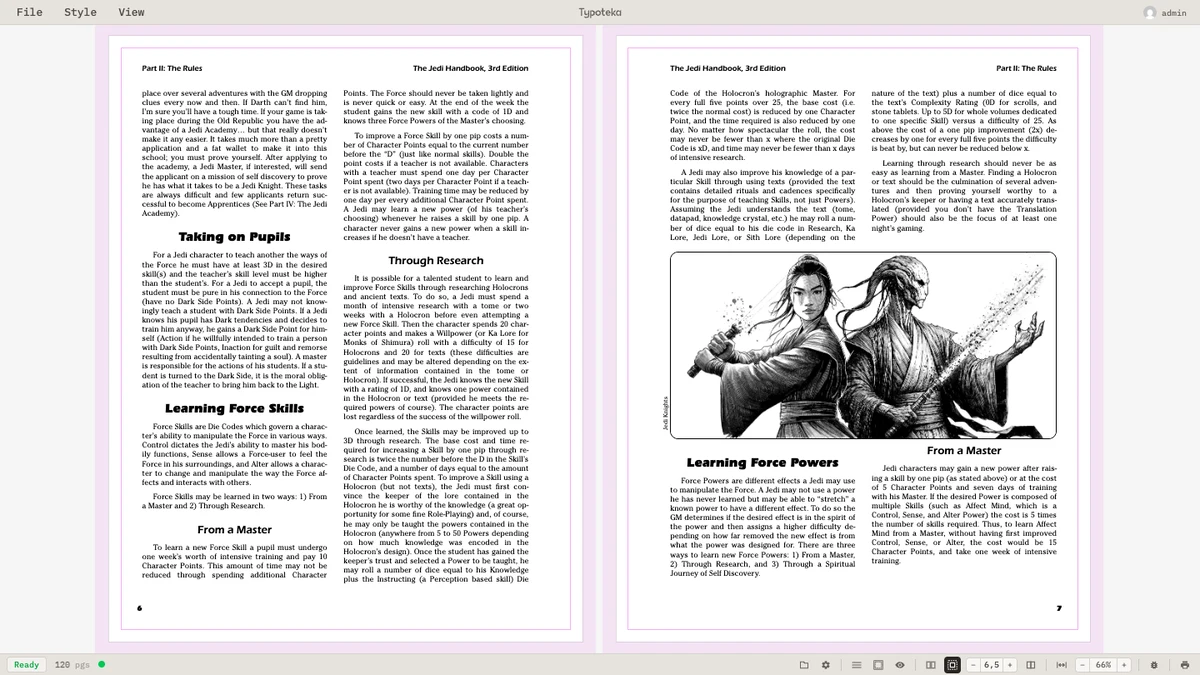
A 120-page sourcebook, open on the spread it is laid out as.
One text, several books
The design is a style, and the style is a thing you choose, not a set of boxes you fill in. Pick another one and the same text comes back as a different book: other fonts, other margins, another page size, another way of setting a chapter opening or a sidebar. Each style also tells the editor which named blocks an author may use, so writing for it is a matter of asking for a box or a single-column section rather than reproducing a look by hand.
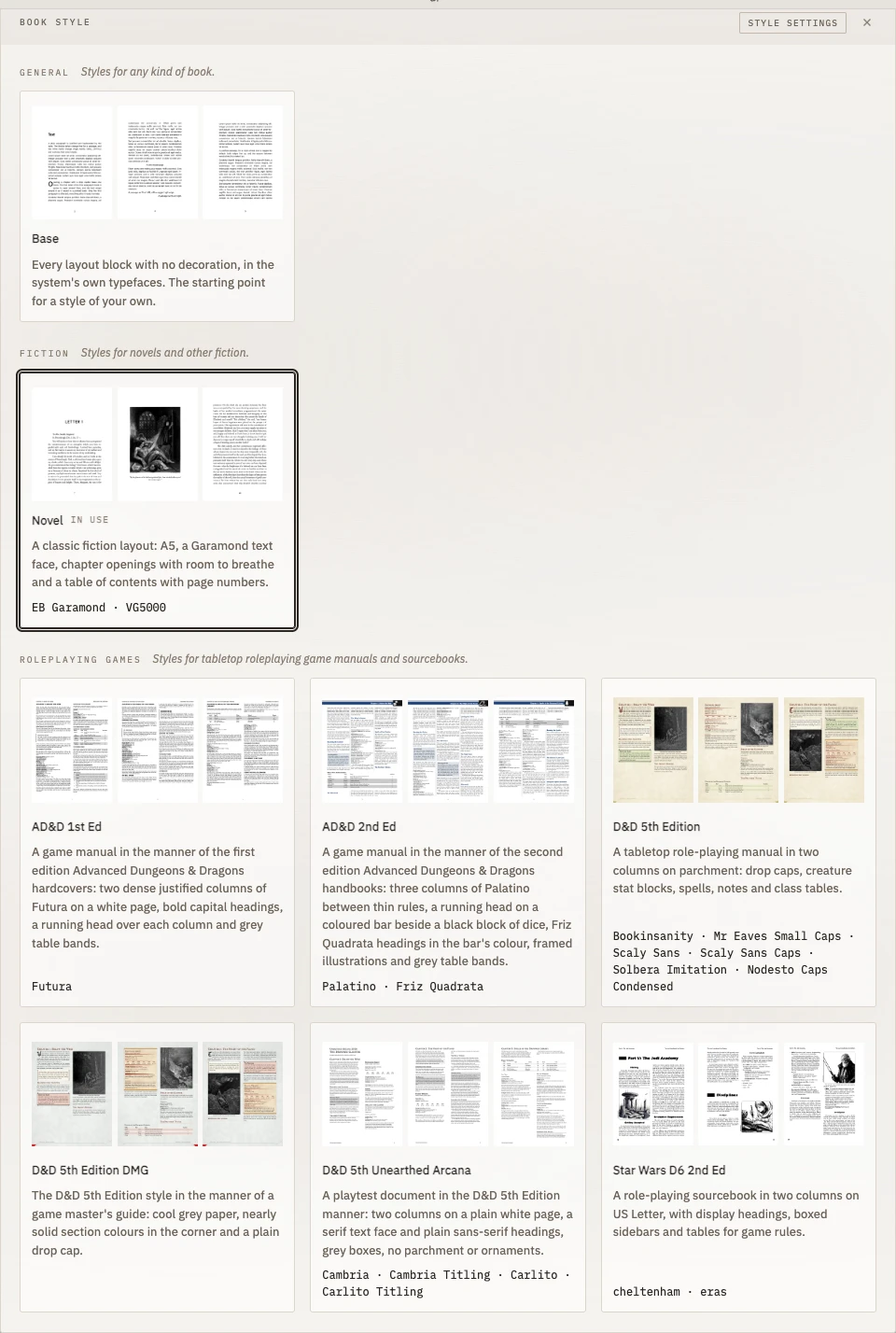
Some of the first styles, grouped by the kind of book they are for. More are on the way.
The part that is design
Laying out a book means looking at things the reader never sees. The editor draws them over the pages: the baseline grid the text should sit on, the margin boxes reserved for running headers and folios, and a bleed guide in millimetres for anything that runs off the trim. They are screen-only, and never reach the PDF.
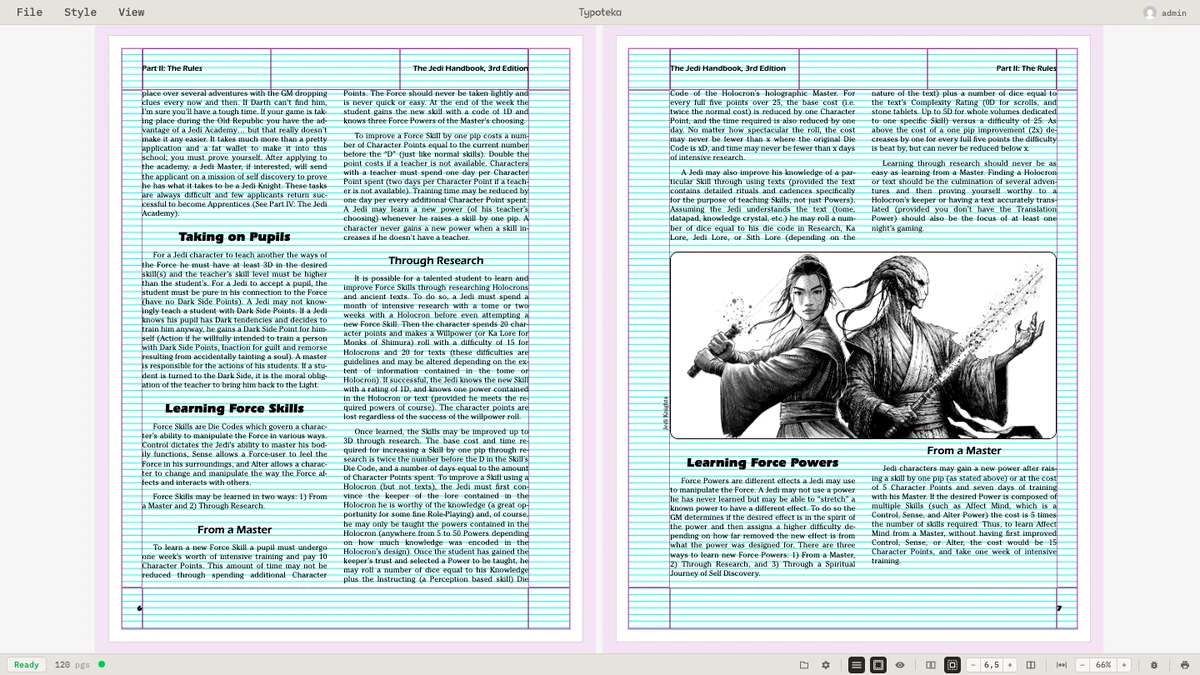
The baseline grid and the margin boxes, on top of the spread above.
Pages can be read one at a time or as facing spreads, glued or separated, at any zoom, and what you are looking at is the pagination the PDF will have.
It is built with Vue 3 and TypeScript on the front, Go on the back, and PagedJS for the page layout.