Kodi add-ons
I have used Kodi since it was XBMC, running on the original Xbox, and it has always been my favourite way to keep and watch video in the living room. One thing it never let me do was build a collection out of different kinds of sources. It groups movies into sets, and only movies, so the Marvel or DC cinematic universes, or Star Wars, end up with the films in one place and the series in another, and watching it all in order means keeping that order in your head.
Cinematic Collections
Cinematic Collections adds an “Add to collection…” entry to the context menu of every movie and TV show in the library. A collection is a list in the order you build it, and it opens as a normal Kodi list: movies play directly, shows drill down into their seasons and episodes.
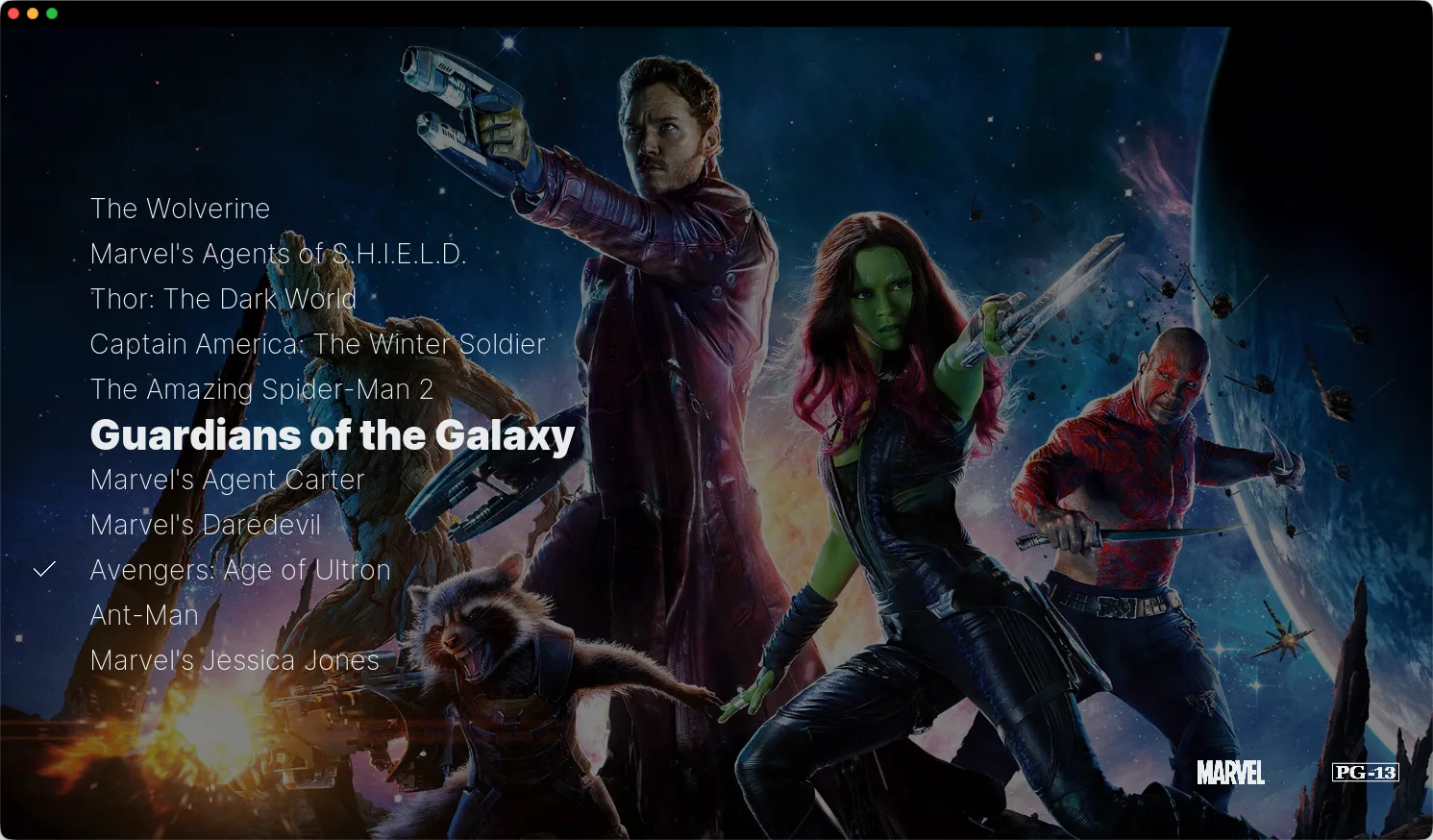
A collection mixing movies and series, in Kodi with the Copacetic skin.
Items move up and down inside their collection, and collections can nest. Star Trek, famous for how much its fans have filmed on their own, can keep a “Fan films” collection as a folder inside the main one: everything in one place, without mixing it with the canon.

The checkmarks are read from the library each time the collection opens.
Kodi can keep its library in a MySQL or MariaDB database shared over the network, and asking that for each item one by one is slow. So the add-on keeps the static metadata (artwork, plot, year) with the collection when an item is added, and only asks the library for what changes: the watched state, fetched for every movie and every show in two calls. If a re-scrape gives an item a new database id, it is found again by its IMDb or TMDb id.
A repository of my own
Kodi installs add-ons from repositories, and a repository is little more than
an addons.xml index and a folder of zips. Mine is served from GitHub Pages:
install its zip once, and every add-on I publish there shows up in Kodi and
updates itself. Its page explains how
to install it in a few steps.