
Cue
YouTube’s own watch-later list is a browser tab you never close. Cue is the same idea as a Mac application: a queue you add videos to, and a player built to watch them.
No embedded player
Cue does not open YouTube’s player in a hidden web view. It asks YouTube for the video itself, resolves the stream URLs, and hands them to libmpv. There is no page to render, so there is nothing to show an ad in.
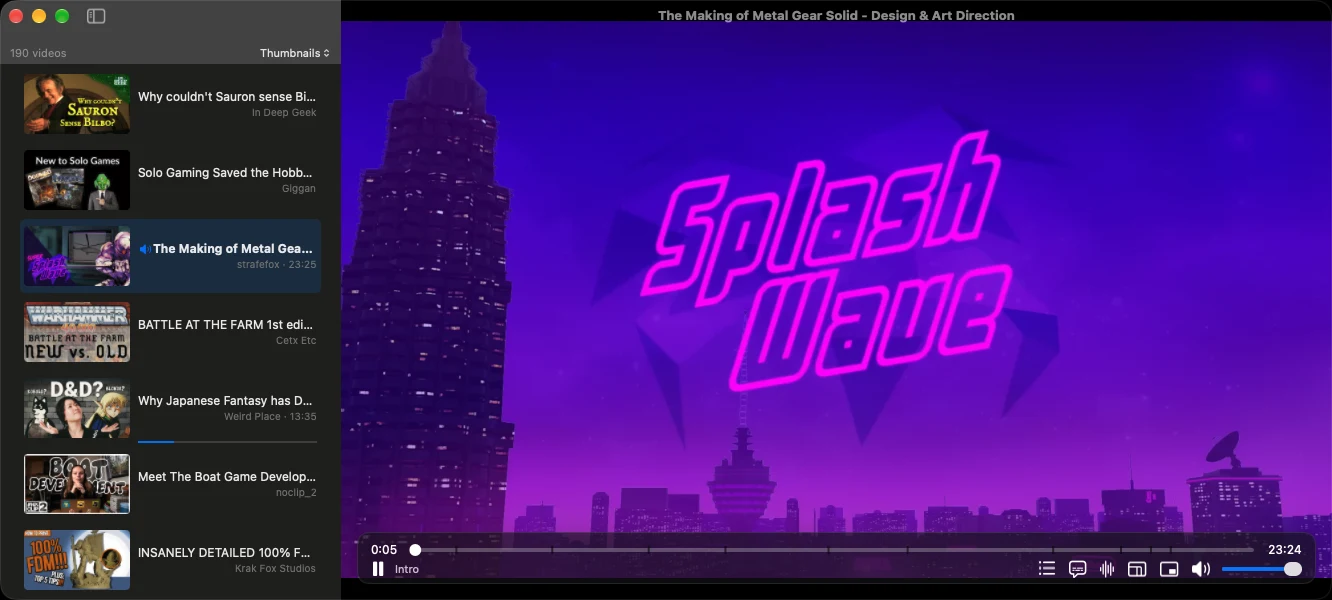
The queue on the left, the video on the right. The row playing now is tinted, and the chapter it is in shows under the seek bar.
Resolving those URLs is the hard part, because YouTube signs them with a JavaScript routine that changes often. Cue runs that routine in JavaScriptCore, which ships with macOS, using the solver from yt-dlp. No bundled Node, no bundled Python, nothing to install the first time you open it.
Choosing the stream
YouTube offers the same video in several codecs and sizes, and which one you get is Cue’s decision, not the system’s. At startup it asks VideoToolbox what this particular Mac decodes in silicon, registering Apple Silicon’s supplemental VP9 decoder to find out, and then ranks what YouTube is offering: AV1 where the chip has an AV1 decoder, otherwise H.264, and VP9 only where it too is decoded in hardware. H.264 wins ties against VP9, because VP9 hardware support is rarer.
Only when nothing on offer qualifies does it fall back to software, and then it drops the resolution to keep the cost down: 1080p for VP9, 720p for AV1. It also skips the 10-bit HDR variants by default, since tone mapping them for an SDR display is work the GPU would be doing for nothing.
Buffering is written to disk rather than held in memory, and a paused video keeps loading, up to about twenty minutes of 1080p. The seek bar shows how much has arrived, which matters on a bad connection.
Beyond pressing play
Chapters, taken from the video’s own markers when it has them, and otherwise read out of the timestamps in its description, but only when that list starts at zero. A description that merely mentions a few times is not a table of contents.
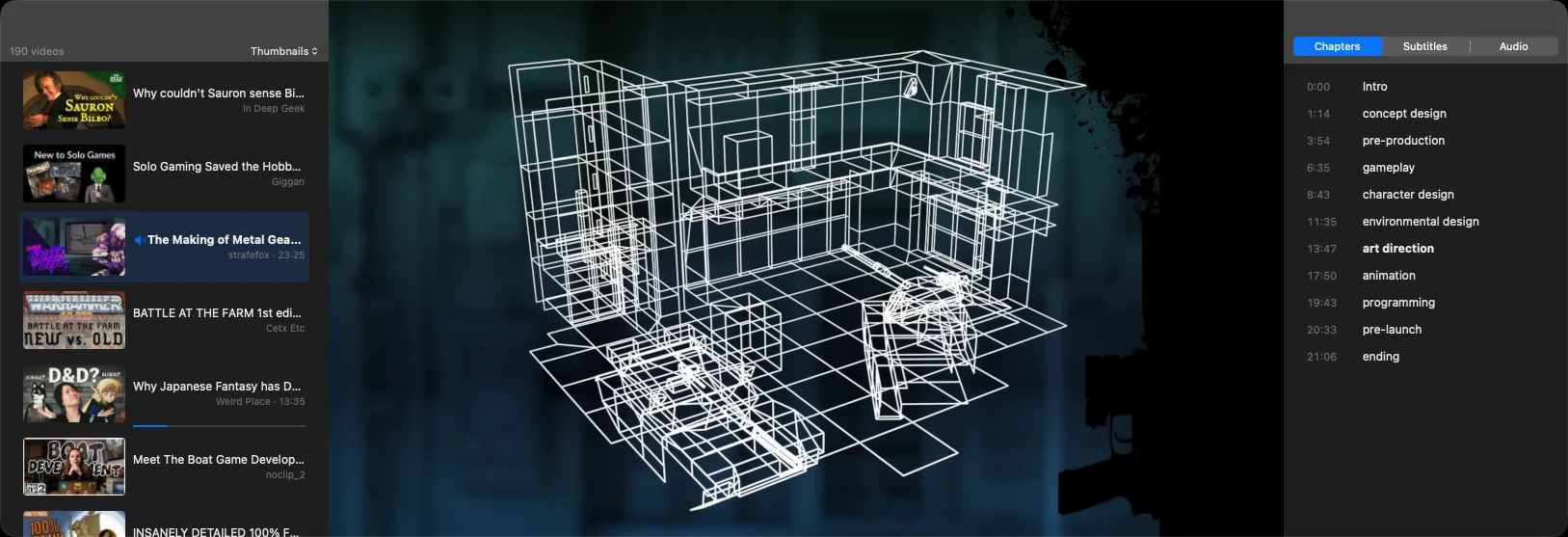
The chapter you are in is the one in bold.
Thumbnail previews while you drag the seek bar. These are not frames pulled out of the video: YouTube publishes its own contact sheets, grids of small thumbnails taken at a fixed interval, and Cue reads the spec that describes them, downloads the sheet covering the moment under the cursor and cuts out the tile. A sheet is 30 to 60 KB and a video needs two or three, so they are kept in memory and never written to disk.
Subtitles you can size, colour, retime and export as SRT or WebVTT.
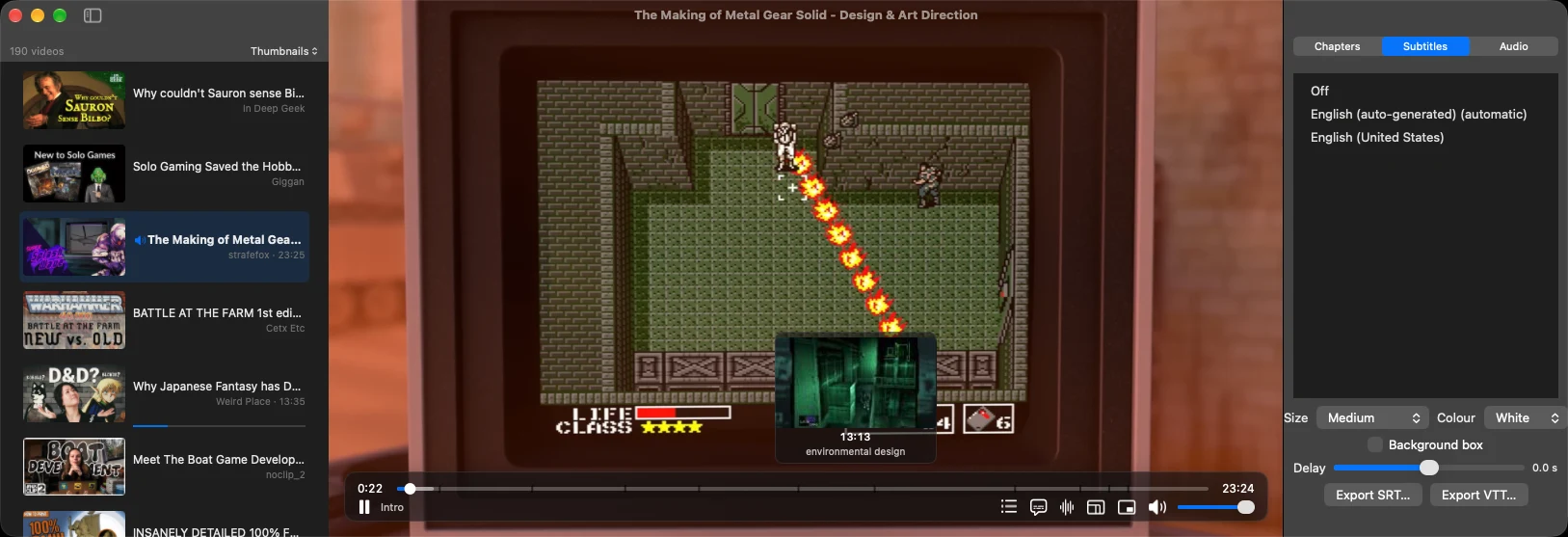
The subtitle page of the inspector is open on the right, with the tracks the video offers and the controls for size, colour and timing. On the left, dragging the seek bar shows the frame you are heading for and the chapter it belongs to.
The original soundtrack of a dubbed video by default, with the other audio languages switchable without reloading the stream. A mini player that keeps playing in a small always-on-top window, without opening a second stream.
Videos arrive by paste, by drag and drop, from a cue://add link, or from a
bookmarklet the app walks you through installing. The queue is a SQLite file in
your own library folder, with no account and no sync, and it imports and
exports as a URL list, JSON or Takeout-style CSV.
What it talks to
YouTube, and nothing else. No analytics, no crash reporting, no metadata service, no sign-in. Any feature that would need a server of its own is discarded.